 Pilotix
Remote access built for devices you own and teams you trust.
Pilotix turns a remote machine into a managed device, not a one-off screen share. Install the agent with one command, connect from the browser, and see exactly how the session behaves.
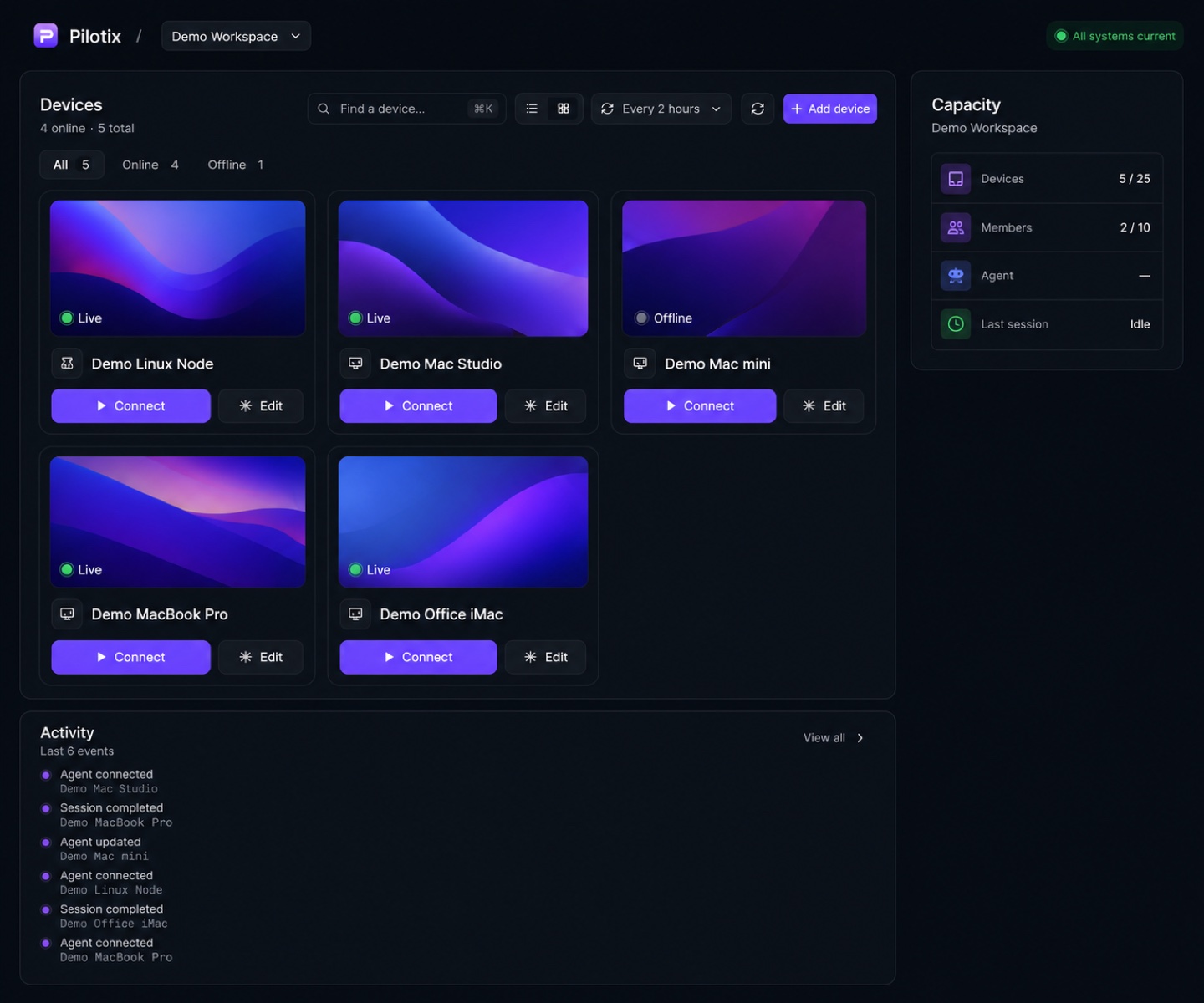
Built for technical professionals who manage their own machines
The connection is the easy part. We show you the rest.
Most remote tools answer “is the screen here?”. Pilotix also answers is the device ready, which codec was chosen, where the latency comes from, and whether the last command actually worked.
One-command install
Add a device, pick the platform, set a token lifetime, copy a single command. The agent enrolls to the right account automatically.
Browser-first viewer
Start a live session from the browser. No heavy viewer client to install on the machine you connect from.
Owned-device model
Each device is enrolled once and managed: readiness, connection state, selected codec and transport all in one place.
Quality presets
Auto, Standard, Fluent, Sharp and Instant tie FPS, bitrate ceiling and latency priority to how you actually work.
Live stream analytics
FPS, Mbps, RTT, capture, encode, send, queue, codec and transport — so a slow session has an answer, not a guess.
HEVC with H.264 fallback
Use HEVC where viewer and agent both support it, and fall back safely to H.264 in the same session when they don't.
Explicit clipboard
Local-to-remote paste and remote-to-local copy happen on your action — no silent background clipboard monitoring.
Agent lifecycle
Restart, update, reinstall, uninstall and revoke live inside the device detail, not in a separate admin tool.
Clear security model
Short-lived enrollment and session tokens, per-device credentials, dashboard revoke, signed & notarized macOS packages.
From zero to connected in three steps.
Add a device
Open “Add device”, choose macOS or Linux, name it, and set how long the enrollment token stays valid.
Run one command
Paste the generated command on the machine. The agent enrolls to your account and appears in the dashboard.
Connect from the browser
Open a live session, pick a quality preset, and watch real analytics while you work.
/bin/bash -c 'set -euo pipefail; \
  curl -fsSL "$1" | /bin/bash' _ \
  'https://app.pilotix.io/i/<token>'
macOS install command — generated per device, bound to a short-lived enrollment token.
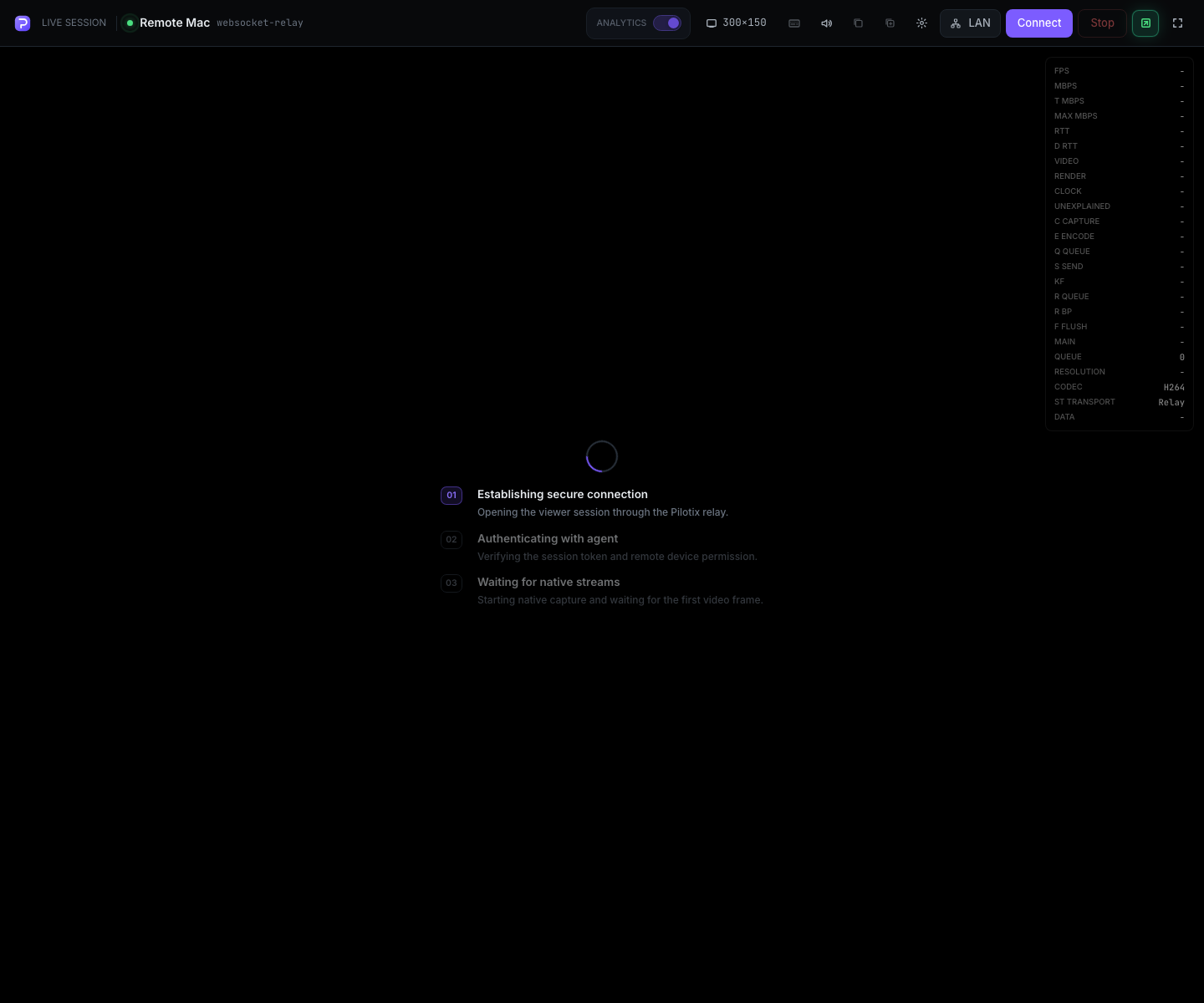
Real telemetry, not a “signal: good” icon.
When a session feels slow, the analytics overlay tells you whether it is encode time, send spikes, browser render, queue pressure or a codec fallback — so you fix the real thing.
- FPS, instant / target / ceiling bitrate and RTT
- Capture, encode, send and queue timings from the agent
- Active resolution, selected codec and transport path
Connect to your devices in minutes.
Create a free account, add your first device with one command, and start a browser session with real diagnostics.