 Pilotix
One-command install
Install the remote agent with one command.
Adding a device shouldn’t mean hunting for an installer. In Pilotix you open “Add device”, pick the platform, set a token lifetime and copy a single command that enrolls the agent to your account.
What you get
Built into the product, not bolted on.
- The command is bound to the right account and a short-lived enrollment token
- The correct bootstrap path is generated per platform
- After install the device appears in the dashboard with readiness and diagnostics
- Reinstall, update and uninstall commands live on the same device detail
$
/bin/bash -c 'set -euo pipefail; \
  curl -fsSL "$1" | /bin/bash' _ \
  'https://app.pilotix.io/i/<token>'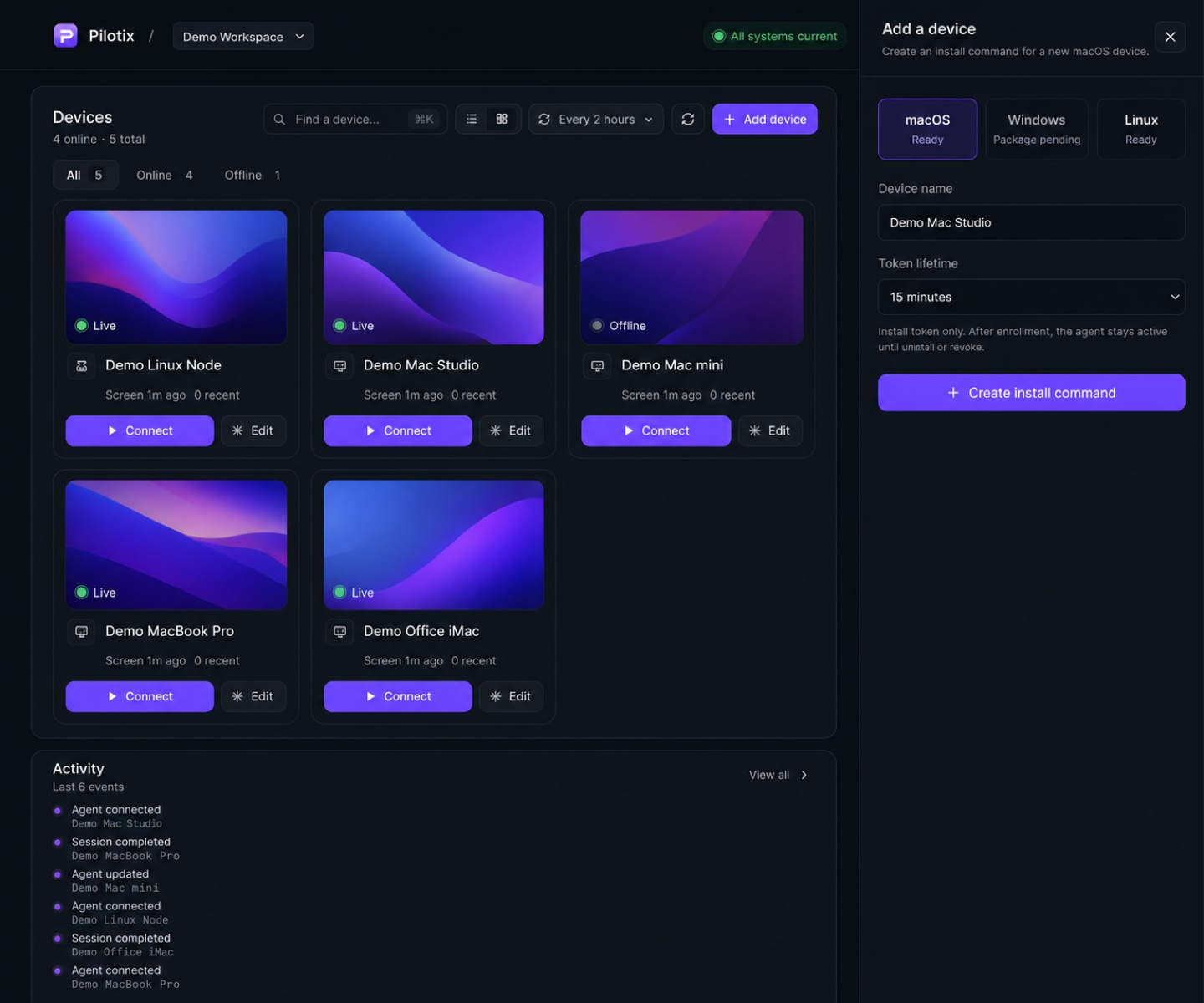
Add-device drawer — choose platform, name the device, set token lifetime.
FAQ
Good to know
Is the install command unique per device?
Yes. It’s generated for the platform and bound to a short-lived enrollment token tied to your account.
What does the agent need on macOS?
A compact native agent — no Homebrew, Go, Node, Python, Docker, browser extension or developer tools required.
Connect to your devices in minutes.
Create a free account, add your first device with one command, and start a browser session with real diagnostics.