 Pilotix
Remote access features for the whole device lifecycle.
Pilotix is not just a video stream. It connects enrollment, readiness, session control, input, display, update and audit state so operators can act with context.
One-command install
Add a device, pick the platform, set a token lifetime, copy a single command. The agent enrolls to the right account automatically.
Browser-first viewer
Start a live session from the browser. No heavy viewer client to install on the machine you connect from.
Owned-device model
Each device is enrolled once and managed: readiness, connection state, selected codec and transport all in one place.
Quality presets
Auto, Standard, Fluent, Sharp and Instant tie FPS, bitrate ceiling and latency priority to how you actually work.
Live stream analytics
FPS, Mbps, RTT, capture, encode, send, queue, codec and transport — so a slow session has an answer, not a guess.
HEVC with H.264 fallback
Use HEVC where viewer and agent both support it, and fall back safely to H.264 in the same session when they don't.
Explicit clipboard
Local-to-remote paste and remote-to-local copy happen on your action — no silent background clipboard monitoring.
Agent lifecycle
Restart, update, reinstall, uninstall and revoke live inside the device detail, not in a separate admin tool.
Clear security model
Short-lived enrollment and session tokens, per-device credentials, dashboard revoke, signed & notarized macOS packages.
A device panel, not just a connect button.
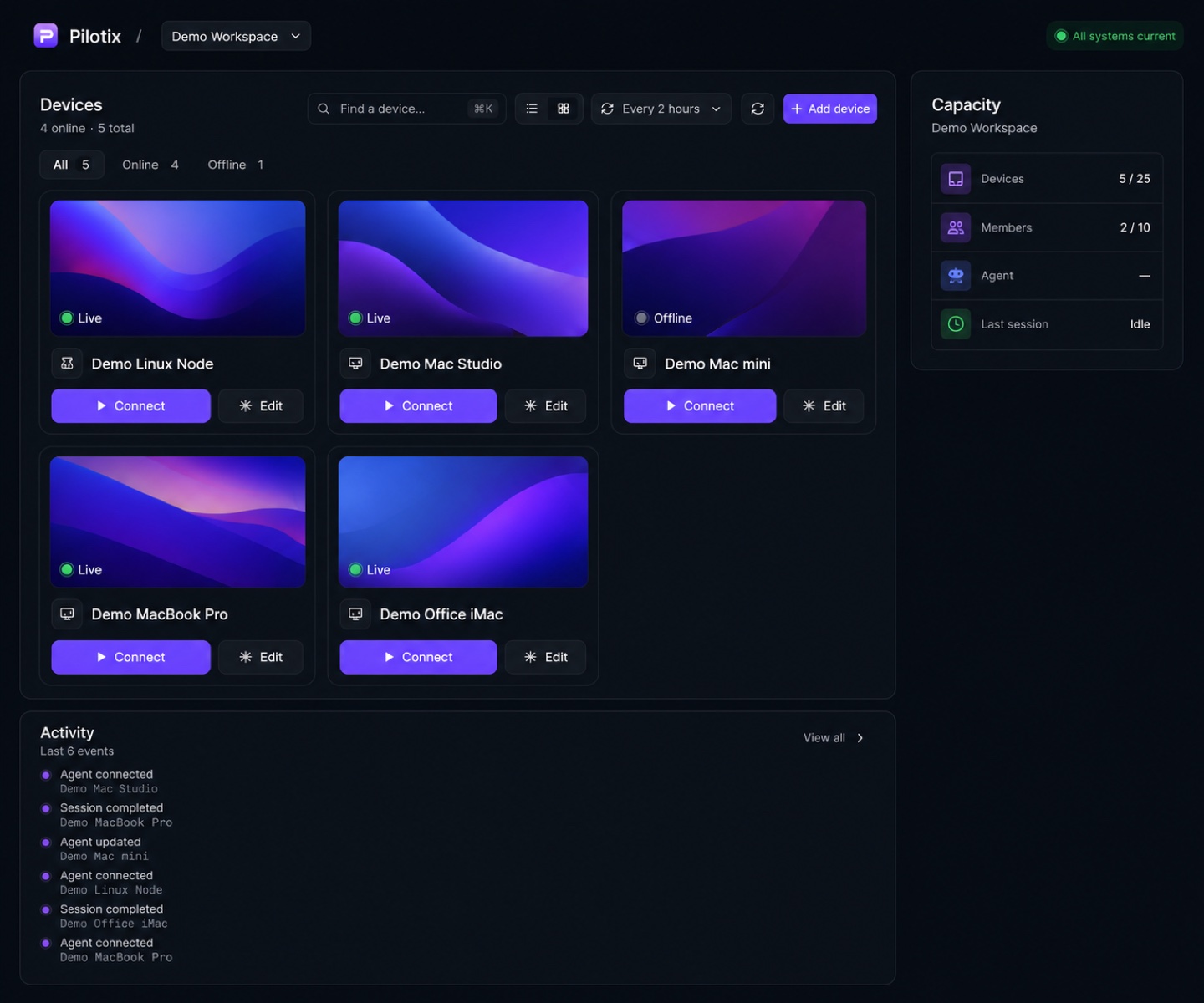
The dashboard shows your inventory, capacity, recent activity and per-device state. The hard part of remote access usually happens before “connect” — Pilotix makes that part visible.
- Device cards with platform, last preview and connection state
- Plan capacity for devices and members at a glance
- Per-device Overview, Diagnostics, History and Settings
Readiness you can read before you connect.
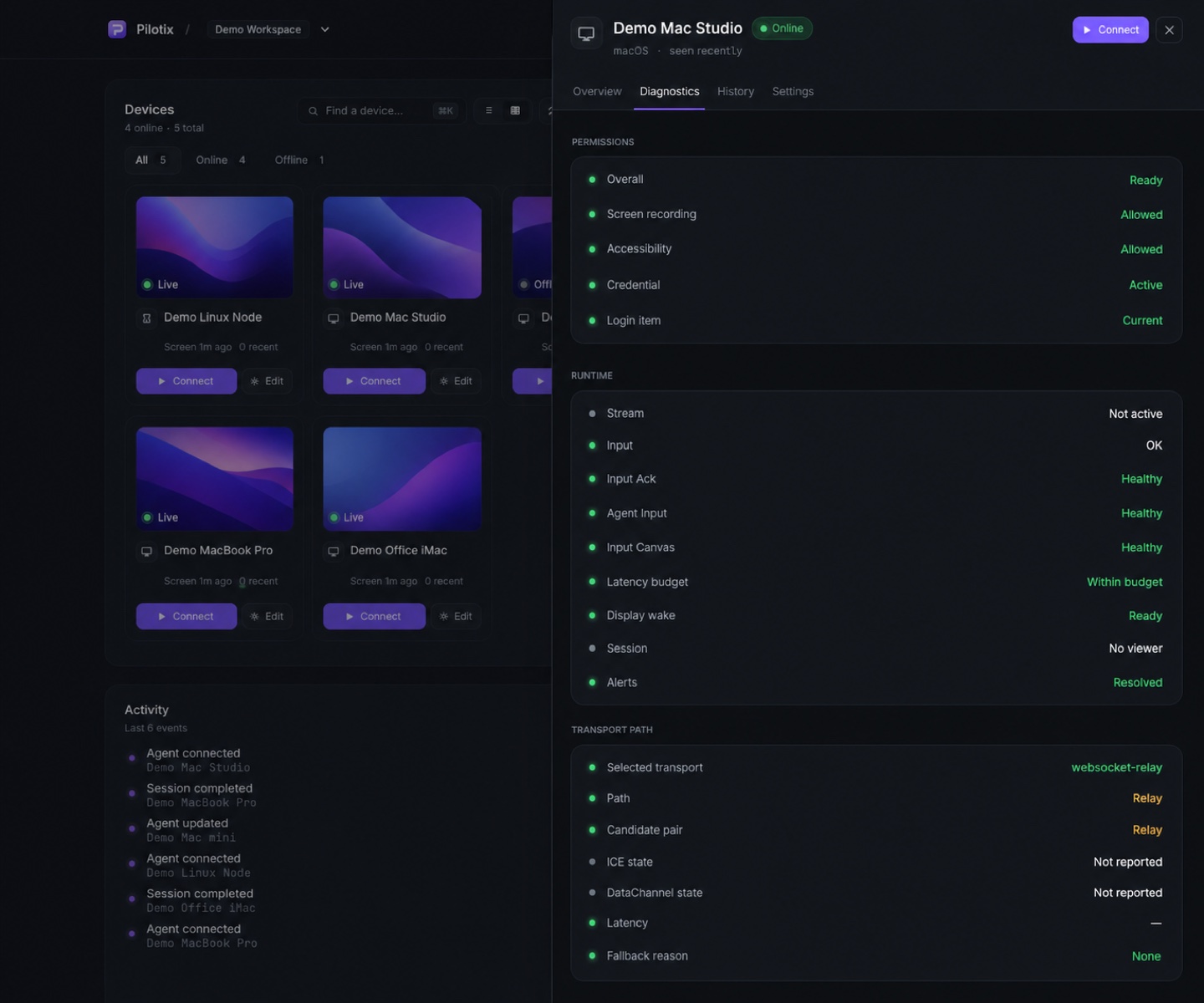
Diagnostics surface agent status, platform and version, codec feasibility, transport path, permissions and overall readiness — so “why can’t I connect?” has a fast answer.
- Codec feasibility: H.264 / HEVC candidates and status
- Transport path and selected relay / direct mode
- macOS screen-recording and accessibility permissions
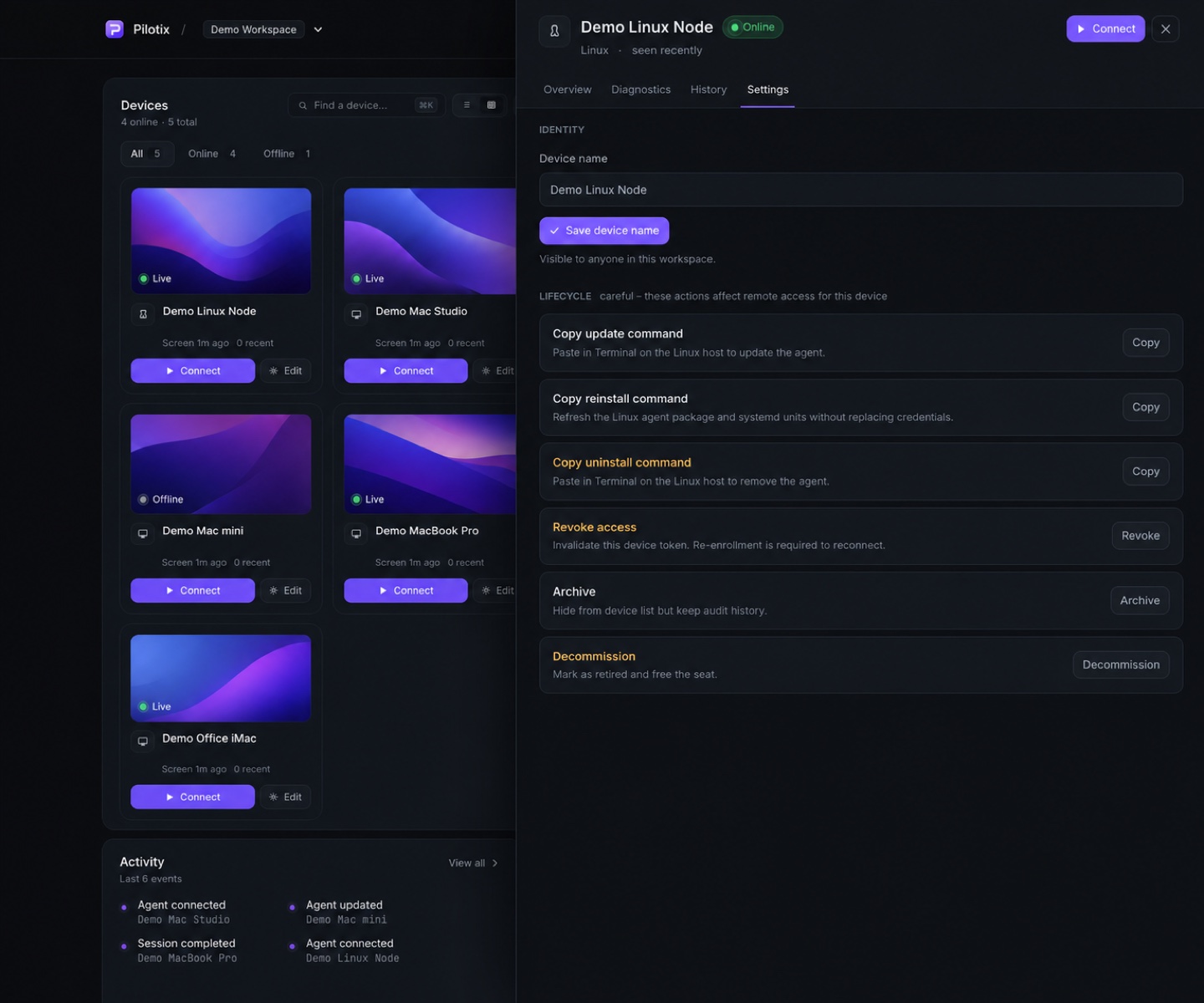
Update, reinstall, uninstall, revoke — in product.
Set default quality, FPS cap, resolution and render behavior per device. Run lifecycle commands from the same screen instead of bolting on a separate admin tool.
- Quality, Max FPS, Resolution and Render defaults
- Restart agent, push update, reinstall and uninstall commands
- Revoke device access from the account at any time
Presets that mean something.
Each preset ties FPS, bitrate ceiling and latency priority together. The ceiling is a maximum, not constant bandwidth use.
| Preset | Best for | FPS | Bitrate ceiling | Notes |
|---|---|---|---|---|
| Auto | Balanced start & adaptation | starts Fluent | per rung | Climbs in healthy windows, backs off in bad ones |
| Standard | Low resource, stable links | 15 | 2 Mbps | Weak networks and admin work |
| Fluent | General desktop use | 30 | 6 Mbps | Default smooth target |
| Sharp | Crisper text & UI | 30 | 20 Mbps | Visual-quality priority |
| Instant | Lowest input-to-photon | 60 | 50 Mbps | Accepts higher bandwidth |
What’s available today.
| Capability | What you get | Status |
|---|---|---|
| Browser-based viewer | Fast access, no viewer install | Production |
| macOS native agent | Low dependency, system frameworks | Production |
| One-command install | Fast onboarding | Production |
| HEVC / H.264 negotiation | Efficient stream, safe fallback | Production |
| Dynamic bitrate | Adapts to network (macOS) | Production |
| Quality presets | Standard / Fluent / Sharp / Instant | Production |
| Live analytics | FPS, Mbps, RTT, encode, send, queue | Production |
| Explicit clipboard | Secure local/remote copy-paste | Production |
| Agent lifecycle | Update / reinstall / uninstall | Production |
| Device revoke | Cut access from the account | Production |
| Linux X11 agent | Ubuntu / Debian MVP | MVP |
| Windows agent | Service / helper architecture | Planned |
Connect to your devices in minutes.
Create a free account, add your first device with one command, and start a browser session with real diagnostics.